Lavagna: A Free Microsoft Whiteboard Alternative That Works Offline
Try Lavagna, a free Microsoft Whiteboard alternative with offline support, Wacom pen input, local files and editable imports from Whiteboard PDFs.
I used Microsoft Whiteboard for years to take handwritten notes, sketch projects, work through ideas in meetings and explain concepts to my students. With a Wacom tablet, it had become my digital notebook.
When Microsoft retired its standalone Whiteboard apps, I needed a replacement for that everyday workflow. I also wanted to keep working on the notes I had already created.
That is why I built Lavagna a mano libera, a free Microsoft Whiteboard alternative for handwriting and drawing, with offline support, local files and an importer for PDFs exported from Whiteboard.
What happened to Microsoft Whiteboard?
Microsoft retired the standalone Whiteboard apps for Windows, iOS and Android on October 16, 2026. This affected both personal Microsoft accounts and work or school accounts.
That does not mean every version of Whiteboard has disappeared. Microsoft says users with work or school accounts can continue using Whiteboard on the web and in Teams.
For me, the change was a reason to build a whiteboard that could run offline and save editable documents directly on my computer.
A whiteboard for handwriting with a Wacom tablet
My priority was the experience of writing with a pen: taking notes during a conversation, drawing a diagram or explaining something as it develops.
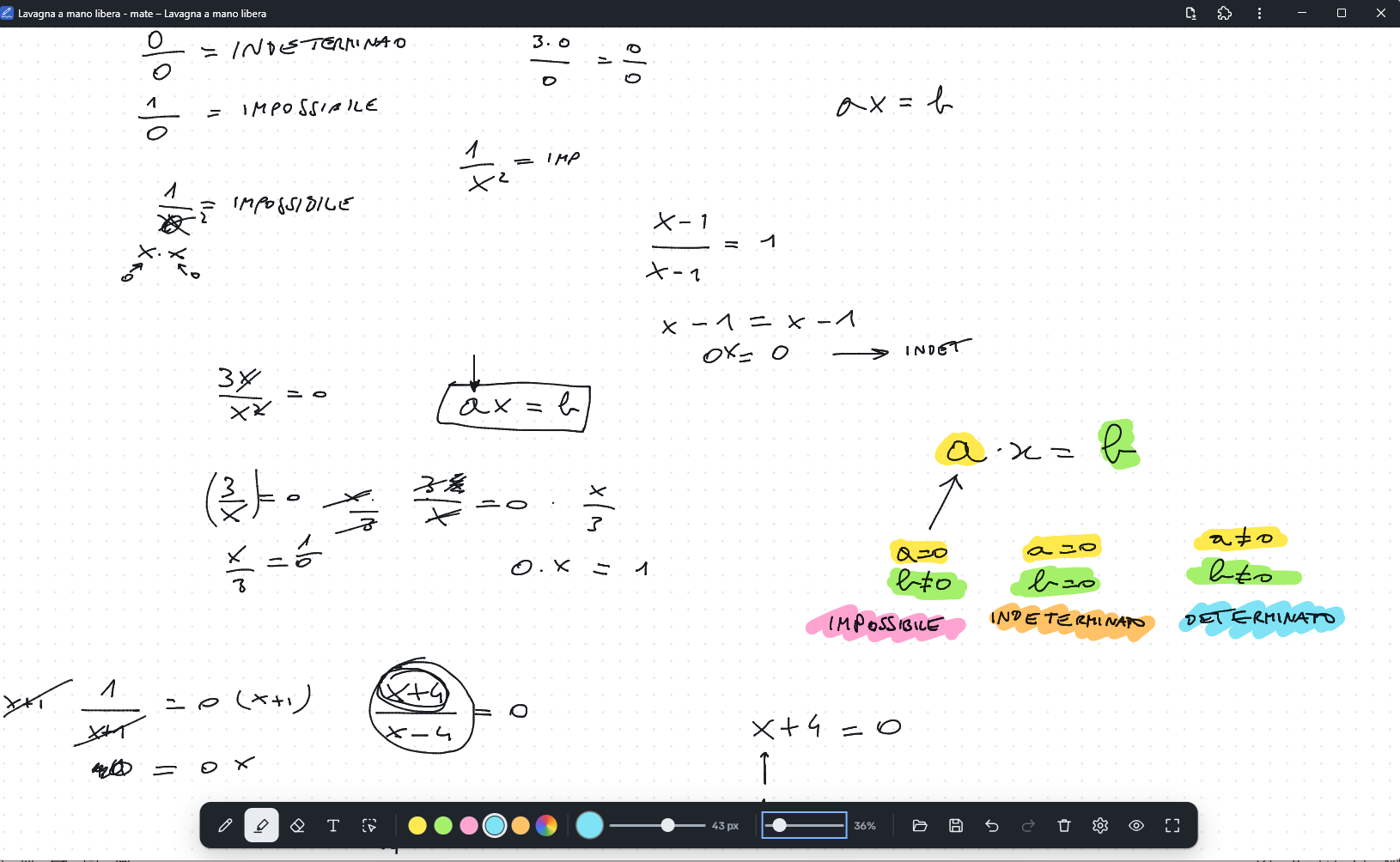
Lavagna supports pressure-sensitive pen input and was designed around my Wacom workflow. Its drawing tools include:
- A pressure-sensitive pen for freehand writing and drawing.
- A transparent highlighter that keeps the writing underneath visible.
- An eraser, including support for the pen’s eraser tip.
- Text and pasted images.
- Selection tools to move, resize, rotate, copy and arrange objects.
- An infinite canvas with zoom and a full-screen view.
There is also a clean view for taking screenshots. For teaching, this lets me focus on the explanation and capture the board when I need a copy.
An offline whiteboard with no account required
Lavagna runs in the browser and does not require an account.
Lavagna is a Progressive Web App (PWA). To install it on your device, open the website in a browser that supports PWA installation and choose “Install app” from the browser menu, or click the install icon in the address bar when available. Once installed, you can launch it like a regular app and use it offline. The exact wording and location of the install option depend on your browser. Alternatively, the app folder can be opened directly from your computer.
The board saves automatically in the browser, and you can also save it as a local JSON file. That file is the editable document you can keep and reopen.
I wanted a clear distinction between a working document and an image of that document. Screenshots are useful for sharing; local board files let me return to the work and change it.
For anything you want to keep, save a board file rather than relying only on browser autosave.
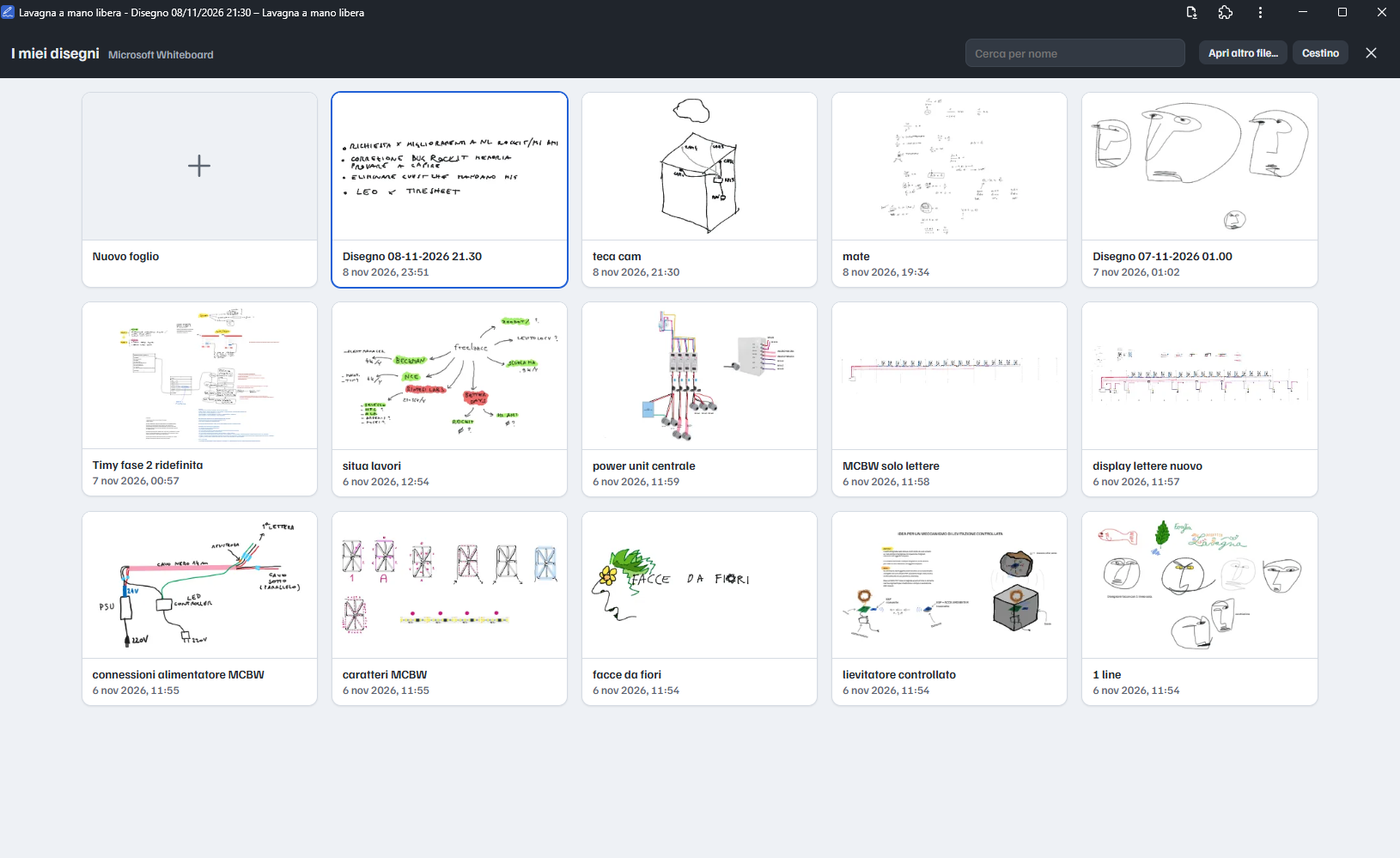
Browse your saved sketches in a local folder
Lavagna also includes a library panel for browsing your saved sketches. To use it, choose a folder on your computer and grant the app permission to access it. The panel then shows the sketch files in that folder, so you can find and reopen your boards from within the app.
Your sketch library is a collection of local files in the folder you selected.
Import Microsoft Whiteboard PDF exports as editable objects
Recovering my old notes was the most important part of the project.
In the PDFs I exported from Microsoft Whiteboard, the drawings were still vector content. Pen marks were stored as filled outlines, alongside text and embedded images.
I wrote a PDF importer to reconstruct that content as objects on the Lavagna canvas. Instead of placing a whole PDF page on the board as a flat image, it brings supported content back into an editable workspace.
To try it:
- Open Lavagna.
- Use the Open button to select a PDF exported from Microsoft Whiteboard.
- Move, arrange or edit the imported objects.
- Save the result as a Lavagna JSON file.
The importer was built around my Whiteboard exports. It is not a general-purpose PDF editor, and reconstructed pen outlines are not the original pressure-sensitive strokes.
If you still have your exported PDFs, this gives you a way to try working with those notes again.
Why I built my own Microsoft Whiteboard alternative
I needed a digital notebook for handwritten notes, sketches and lessons. I wanted local editable files, offline access and a way to recover my existing work.
Lavagna is built with vanilla JavaScript and HTML canvas, using Vite for the build.
If your workflow also revolves around handwriting and local documents, give it a try.
Open the free whiteboard, read the project story, or explore the code on GitHub.
Lavagna screenshots